
Filter and search the history
Narrow History down by type, by period (this year, last year), by person or by search, and read the year's summary.
- Audience
- Everyone
- Screen
- History › Filters card
- Verified version
- App 1.0.0
Goal
Quickly answer the questions people ask the history: "What did we do this year?", "Which major repairs were completed?", "When were the balconies inspected?".
Audience
All building members.
Prerequisites
- Be on the History page (see View the intervention history).
Steps
-
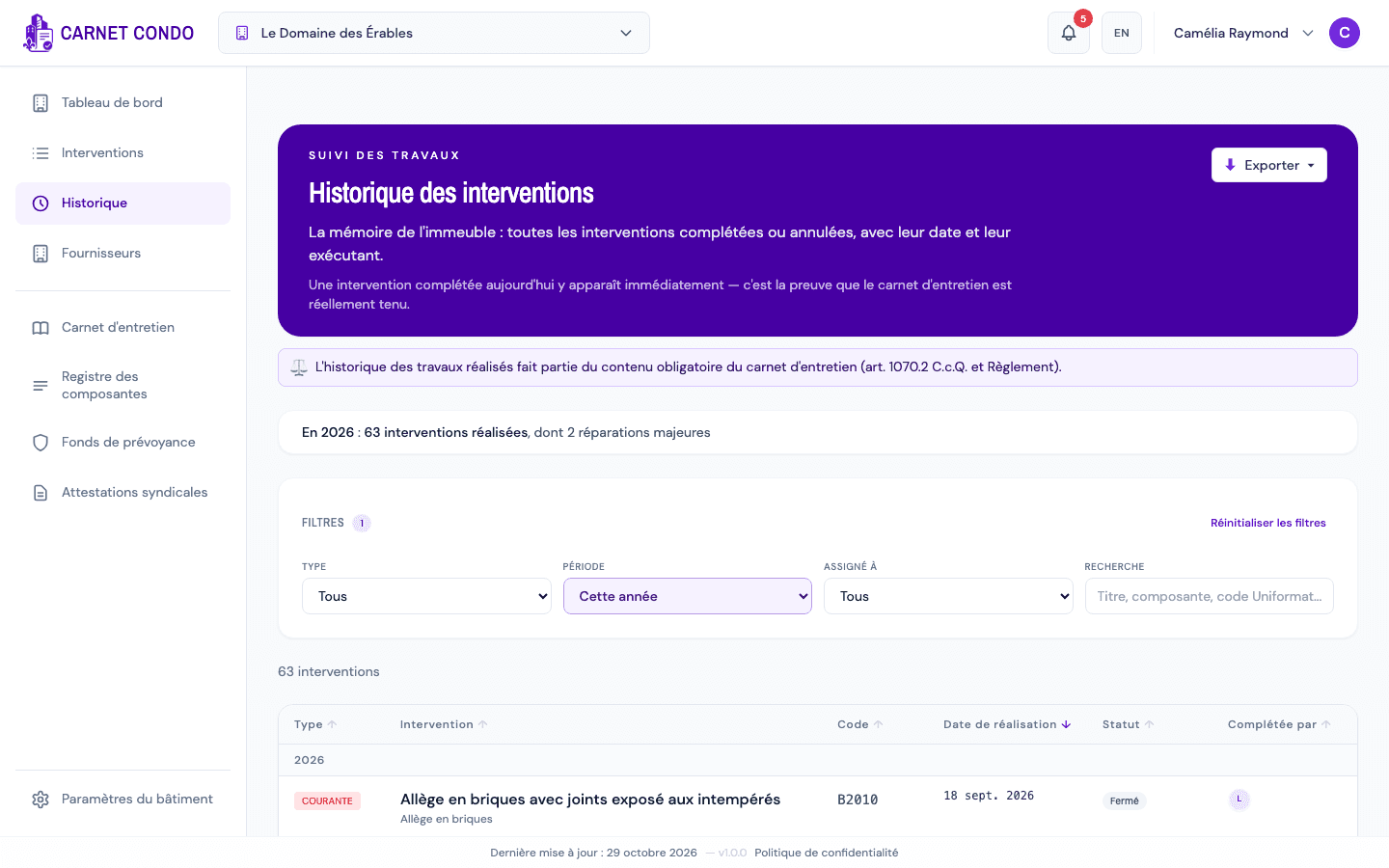
Find the "Filters" card above the table. It has four fields:
- Type: All, Maintenance, Routine or Major;
- Period: All, This year or Last year (based on the year of the completion date);
- Assigned to: All, My tasks, Unassigned, or a building member;
- Search: type a word from the title, the component or a Uniformat code (hint: "Title, component, Uniformat code...").
-
Pick a value. The list and the counter ("N interventions") update right away. An active field is highlighted in purple, and a badge next to Filters shows how many filters are applied.
-
If you chose a Period, a summary card appears above the filters, for example: "In 2026 : 63 completed interventions, including 2 major repairs". It is the sentence to read at a general meeting.
-
To clear everything at once, click "Reset filters", at the top right of the card.
There is no Priority filter in History
Unlike the Interventions page, History replaces the Priority filter with Period: a finished intervention has no urgency anymore. The Priority column is not shown either.
Tips and common errors
- Filters are remembered: your filters, search and sort are kept for this building on this browser, even if you open a record or change pages. They are separate from those of the Interventions page.
- "Assigned to" filters on assignees, while the Completed by column shows who completed the intervention. An intervention completed by someone who was not assigned to it therefore does not appear under that person's name.
- The summary does not appear: it only shows when a Period is chosen and at least one intervention matches.
- "No interventions match your filters.": click the Reset filters link shown in the message to widen the search.
- A more precise period (a quarter, a date range): export the history to Excel and filter it in the spreadsheet (see Export the history).
- On a phone: the filters card is collapsed; tap Filters to expand it.
See also
View the intervention history
Open the History tab of the menu: every completed, cancelled or postponed intervention in the building, grouped by year, with its completion date and the person who completed it.
Export the history
Download the intervention history to Excel or PDF; the PDF adds a summary with the number of compliant and non-compliant interventions and the compliance rate.