
Define default assignees
Assign a maintenance task's default assignees, on creation or through the Assignees tab of its record.
- Audience
- Administrator
- Screen
- Assignees tab (task record) or "Default assignment" field (create)
- Verified version
- App 1.0.0
Goal
Designate the people responsible by default for a maintenance task. These assignees are inherited by the interventions that are generated and can be reassigned in bulk.
Audience
Administrator of the building.
Prerequisites
- Be an administrator (the building must not be read-only).
- Either be creating a task, or have opened the record of an existing task.
Steps
Path 1: on creation
In the create window, use the "Default assignment" field (a multi-user selector, with the "-- No one --" label by default). The interventions that are generated automatically inherit these assignees.
Path 2: through the Assignees tab
-
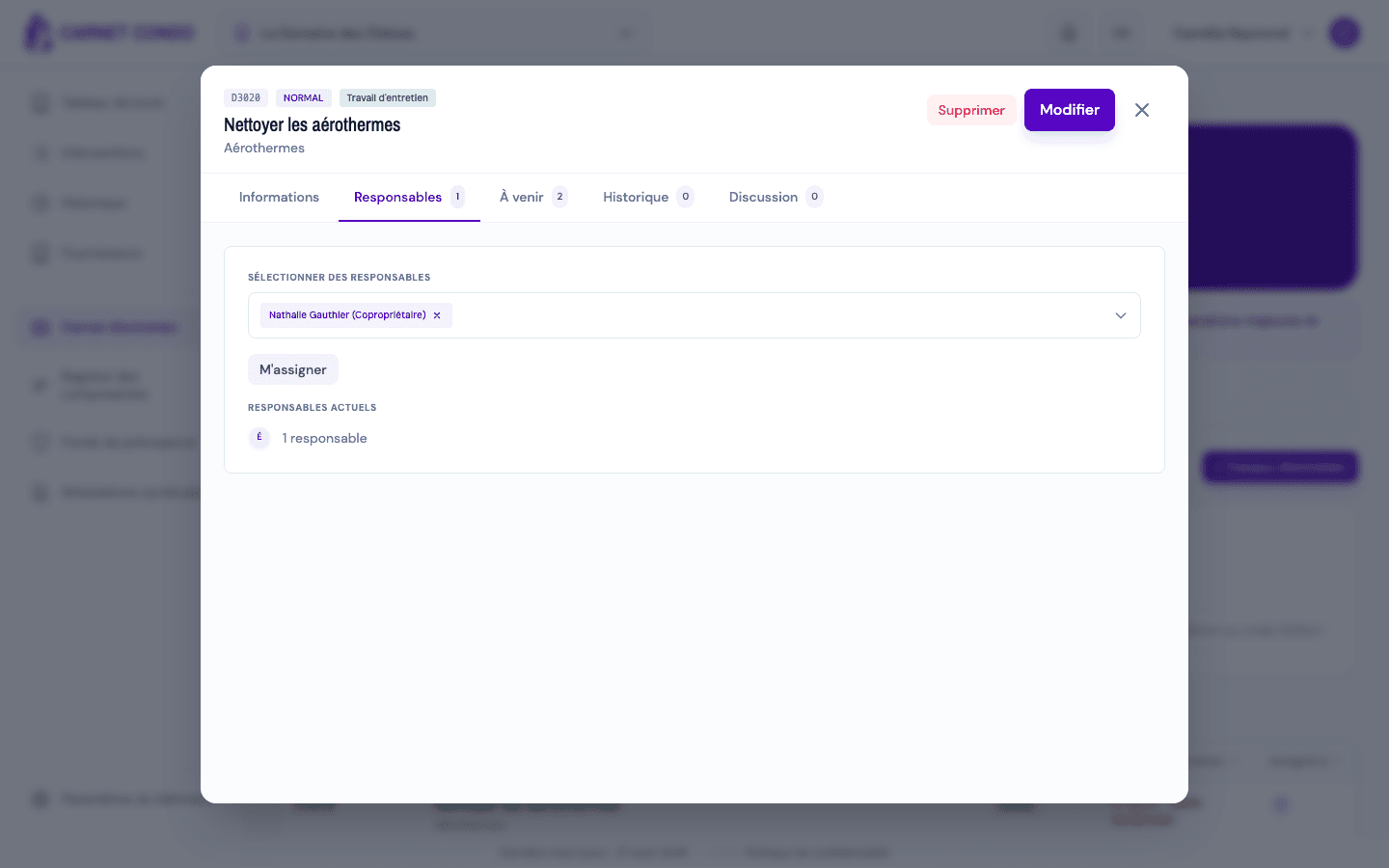
Open the task's record (Maintenance logbook › Maintenance work, click its row), then the "Assignees" tab. The avatar stack shows the people currently assigned.
-
Use the quick "Assign me" or "Remove me" buttons to add or remove yourself.
-
To change the full list, use the multi-user selector.
There is no "Save" button: each change (quick button or selector) is saved immediately. With the quick buttons, a message confirms it: "You are now a default assignee" or "You have been removed from default assignees".
Every change reassigns every upcoming intervention
Each change to the assignees updates the default assignment and cascades the reassignment to every future "To do" intervention. This reassignment overwrites the assignee of each upcoming intervention, including those that had been customized individually.
Tips and common errors
- Cascade without merge: unlike the schedule recomputation, reassigning assignees does not merge; it replaces the assignee of all future "To do" interventions.
- Selector greyed out: if the building is read-only, the tab can still be viewed but the selector and buttons are disabled.
- Save error: if saving fails, the displayed list goes back to its previous state.
- Nobody assigned: leave "-- No one --" to set no default assignee.
See also
Resolve scheduling conflicts after a change
Handle the conflict resolution window that appears when a schedule change affects future interventions that already carry data.
View, filter and export the maintenance work list
Browse the logbook's maintenance tasks: filters (assignee, frequency, month, search), column sorting, "Estimated" and "Overdue" labels, Excel or PDF export.