Comment on an intervention (Discussion tab)
Talk with an intervention's assignees in its Discussion tab: write, edit and delete a comment; assigned people are notified.
- Audience
- All members
- Screen
- Intervention record › Discussion tab
- Verified version
- App 1.0.0
Goal
Ask a question, add a detail or leave a written record on a specific intervention (room access, late supplier, missing part…). The exchange stays attached to the intervention and is included in its PDF export.
Audience
All members of the building can read and write.
Prerequisites
- Have opened the intervention's record (from Interventions, History or the Dashboard).
- The building is not read-only (subscription to settle): in that case, the input field is hidden.
Steps
-
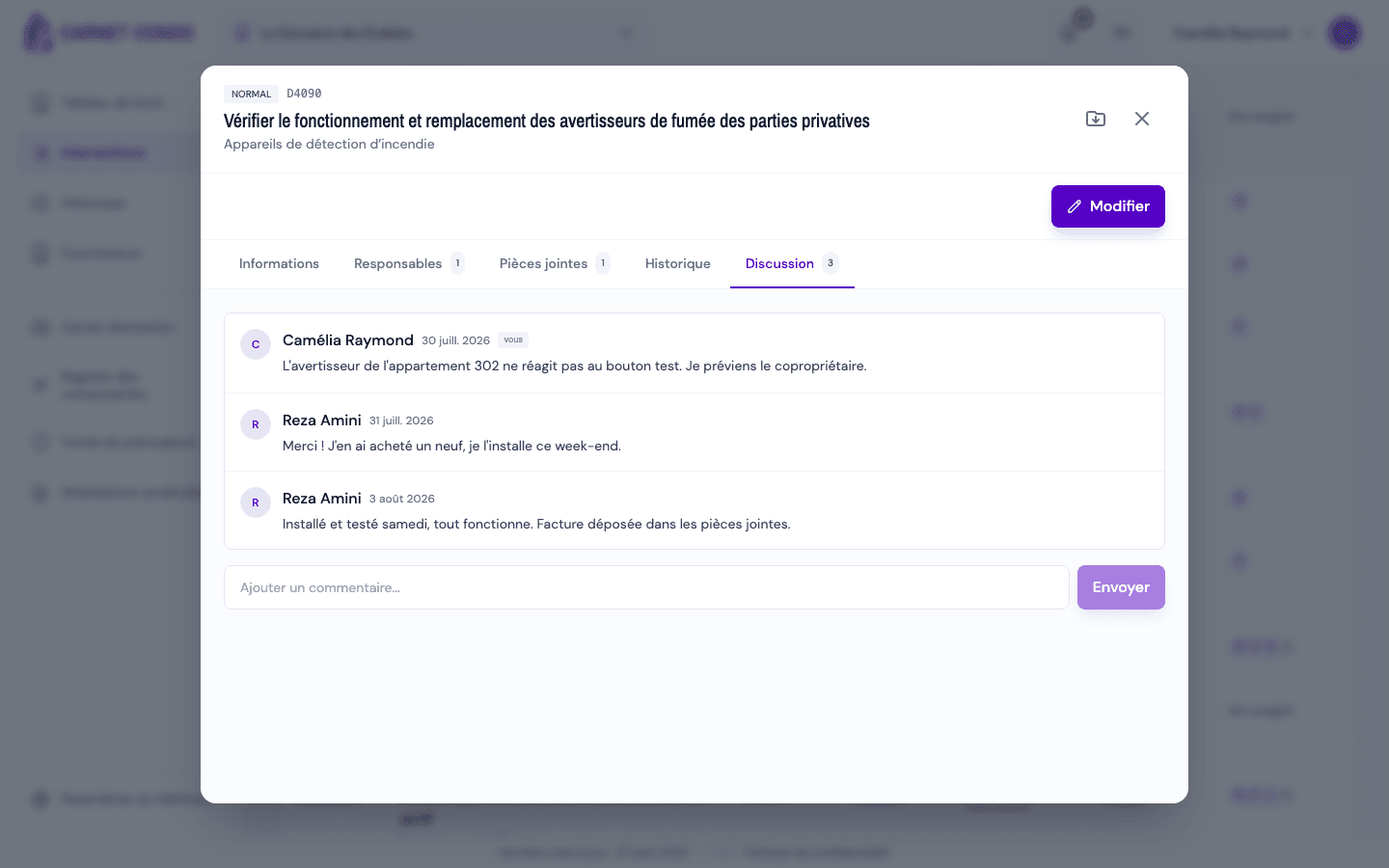
In the intervention's record, open the "Discussion" tab (the number shows how many comments there are).
-
Type in "Add a comment...", then click "Send".
-
To edit your comment, hover over it and click "Edit"; the message "Comment updated" confirms it.
-
To delete your comment, click "Delete" and confirm "Delete this comment?".
Notifications
Each new comment notifies the people assigned to the intervention (except the author). Clicking the notification takes them straight to the Discussion tab.
Tips and common errors
- Who can edit or delete: the author can always edit or delete their comment. An administrator can also edit or delete another member's comment, in edit mode (the record's "Edit" button).
- Markers: your own messages show "you"; an author whose account was deleted appears as "Anonymous".
- No @ mentions: you cannot call out a specific person; assign them to the intervention so they are notified.
- No messages: "No comments yet.".
See also
Send a reminder to assignees
Follow up by email with the assignees of an overdue intervention, with an optional personal note.
Export an intervention to PDF
Download an intervention's complete record as a PDF (status, dates, costs, anomaly, follow-ups, comments, history, photos and documents) from the header icon.